
0
Your Cart
0
Your Cart

Please Note: BBC micro:bit is NOT included. You can buy the Kitronik Inventor’s Kit with the BBC micro:bit already included here.

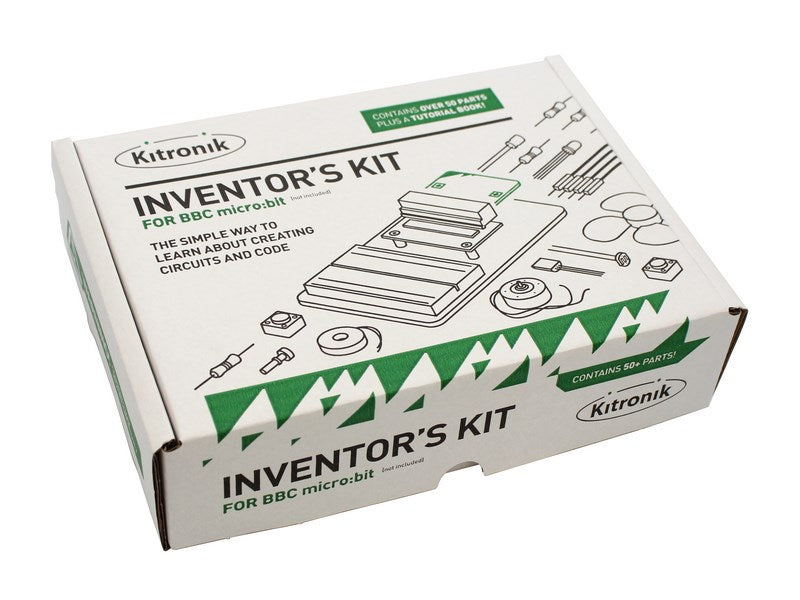
The Kitronik Inventor’s Kit for the BBC micro:bit is a great way to get started with programming and hardware interaction with the BBC micro:bit. This Inventor’s Kit contains everything you need to complete 10 experiments including using LEDs, motors, LDRs and capacitors.

To get you off to a flying start, we have included an easy-to-follow tutorial book which guides you through everything you will need to know about programming the BBC micro:bit. You don’t need any experience with programming as the tutorial book will guide you every step of the way.

The BBC micro:bit has a selection of pins that are located on the bottom edge of its PCB. By using our specially designed Edge Connector Board in conjunction with the breadboard, it is easy to use these pins to connect additional components to the BBC micro:bit.

Inventors Kit Add-On Packs:

On its own, the Kitronik Inventors Kit offers a great introduction to the world of physical computing. Its 12 experiments showcase how code and electronics can combine to create real-world everyday practical solutions to situations and problems. But why stop there?

The three add-on packs for the inventors kit have been specifically devised to introduce you to these aspects of practical physical computing.

  • ZIP LEDs Add-On Pack for Kitronik Inventors Kit for micro:bit – Learn how to write code to take control of ZIP LEDs and also learn how to make ZIP LEDs respond to input from components such as potentiometers and sensors.

  • Noise Pack for Kitronik Inventor’s Kit for the BBC micro:bit

    – Learn how to manipulate sound, build instruments, amplify your sounds, and how to shape your sounds with Filtering and EQ.
  • Digital Logic Pack for Kitronik Inventor’s Kit for the BBC micro:bit – Learn how logic gates work and how they can be used in conjunction with the micro:bit.

Note:

  • This kit requires assembly.
  • No soldering is required and you can build your first circuit in minutes!
  • This kit does not include a BBC microbit.

Features:

  • Make 10 experiments included in the provided step-by-step tutorial book.
  • All parts are included to conduct the 10 experiments (listed below).
  • Breaks out 21 accessible pins from the BBC micro:bit using the Edge Connector Board for the BBC micro:bit (included).
  • Small Prototype Breadboard included for fast prototyping.
  • This kit is available as a single pack or as a 20 pack.

Contents:

The contents below are for a single Inventor’s kit pack.

Kitronik Inventor’s kit pack size options:

  • Single – 5603.
  • 20 pack – 5603-20.

Video:

Requires:

All of the experiments included in this booklet (listed below) are based on the Microsoft MakeCode Editor. We have also produced a MicroPython code example for each of the experiments and Video resources featuring a walk-through and hints and tips to help you complete the experiments.

Resources:

Exp No#. Experiment Name. Resource Type.
1 Say Hello to the BBC micro:bit. Further Help.
2 Pre V1.7 Using an LDR and analog inputs. Full Experiment + Further Help.
2 V1.7 Using a Light Sensor & analog inputs. Full Experiment + Further Help.
3 Dimming an LED using a potentiometer. Further Help.
4 Using a transistor to drive a motor. Full Experiment + Further Help.
5 Using the accelerometer to control motor speed. Further Help.
6 Setting the tone with a piezo buzzer. Further Help.
7 Wind Power. Full Experiment + Further Help.
8 Making a game using the compass. Further Help.
9 Capacitor charge circuit. Further Help.
10 Using an RGB LED. Further Help.
11 Making a pedestrian crossing. Full Experiment + Further Help.
12 Making a random dice. Full Experiment + Further Help.

Third-Party Resources:

Insight Resources Mr Bit is an online educational coding platform that also features sections devoted to some of our key micro:bit accessories, including this kit. To access these resources, please visit;

Buy British:

UK flag  This product is designed and manufactured in the UK by Kitronik.

Documents & downloads

Exp No#. Experiment Name. Resource Type.
1 Say Hello to the BBC micro:bit. Further Help.
2 Pre V1.7 Using an LDR and analog inputs. Full Experiment + Further Help.
2 V1.7 Using a Light Sensor & analog inputs. Full Experiment + Further Help.
3 Dimming an LED using a potentiometer. Further Help.
4 Using a transistor to drive a motor. Full Experiment + Further Help.
5 Using the accelerometer to control motor speed. Further Help.
6 Setting the tone with a piezo buzzer. Further Help.
7 Wind Power. Full Experiment + Further Help.
8 Making a game using the compass. Further Help.
9 Capacitor charge circuit. Further Help.
10 Using an RGB LED. Further Help.
11 Making a pedestrian crossing. Full Experiment + Further Help.
12 Making a random dice. Full Experiment + Further Help.

Third-Party Resources:

Insight Resources Mr Bit is an online educational coding platform that also features sections devoted to some of our key micro:bit accessories, including this kit. To access these resources, please visit;

Buy British:

UK flag  This product is designed and manufactured in the UK by Kitronik.
Related resources

2 reviews for Kitronik Inventor’s Kit for the BBC micro:bit

  1. gerry

    good experiments, documentation is good, could use more of a Lego approach to mix and match experiments.

  2. Tony

    The Inventor’s Kit is an excellent starter route to understanding both electronics and computer control/sensors. I like the way it introduces the user to “industry standard” techniques, such as the use of a breadboard and discrete components.
    The combination of break-out board for the micro:bit and a breadboard to build circuits on affords far, far more opportunity for the pioneering inventor/explorer, once the experiments in the book have been completed, either using the various add-on packs, or buying individual components.
    I really like the way the kit covers both electronics and Pyhton code – some excellent cross-curricular learning opportunities.
    In all, a fabuous starter-kit, which will then prove to be a really useful workspace for much more advanced projects going forward. Great for experimenters at home, and for use in the classroom – with a few extra LEDs and bits, I have developed some quite elaborate pedestrian crossings with Key Stage 3 after-school clu,bs, and envisage using it to demonstrate ideas even to A Level students.

Add a review

Your email address will not be published. Required fields are marked *

Questions and answers

    The buzzer does not work. How can I test it? I tried a battery across it but there is no sound.
  1. 0 votes
    Q The buzzer does not work. How can I test it? I tried a battery across it but there is no sound.
    Asked by Gerry on April 11, 2019 12:00 am
    Answered by the admin I understand the physics of a buzzer, it was attached to the board at first and the code was downloaded to test it, the buzzer does nothing, i used an LED to show that the Micro:bit and code worked, the LED did light up, so the only remaining untested item is the buzzer. (www.gbsepmt.com)
  2. is there anyway to code the experiments in micropython?
  3. 0 votes
    Q is there anyway to code the experiments in micropython?
    Asked by joe curran on January 9, 2019 12:00 am
    Answered by the admin Hi Joe,

    Thank you for your quesion, it should be entirely possible to do all of these experiments in micro python but as we were aiming this as a starter guide we have not written up full experiments for this.

    Best Regards

    Cullen
  4. how do you code the wind power project in blockly
  5. 0 votes
    Q how do you code the wind power project in blockly
    Asked by nb on October 23, 2018 12:00 am
    Answered by the admin Hi there,

    Thank you for your question, if you type out the code in make code Java script you should then at the top of the screen have an option to press and alter the code to appear in a blocks format.
  6. Is the inventors kit the equivalent of the Crumble Playground Kit? I want students to build a fairground ride using the microbit (I have seen it done using a Crumble) but the microbit playground kit doesn't include a motor. Is this what I need? or could I just buy a simple 360 servo?
  7. 0 votes
    Q Is the inventors kit the equivalent of the Crumble Playground Kit? I want students to build a f...... Read more
    Asked by Emma on July 4, 2018 12:00 am
    Answered by the admin Hi Emma, You may be able to use parts in the Inventor's kit to do this, however it hasn't been designed with that in mind. It may be it is better to purchase the individual items needed, however the micro:bit board is very limited on items it can power. As such you would likely need a circuit or driver board to drive a motor/servo for what you require.
  8. Hi,As i'm awaiting my kit, I was wondering if the manual was only in english ?Is it possible to contribute to get other versions available to people ?Thanks a lot for putting up the kit.
  9. 0 votes
    Q Hi,As i'm awaiting my kit, I was wondering if the manual was only in english ?Is it possible to c...... Read more
    Asked by Pierre-yves on April 3, 2018 12:00 am
    Answered by the admin Hi Pierre-yves, The manual is only available in English through ourselves currently, however we have worked with Hands on Science AB in Sweden to produce a Swedish version which they will shortly be stocking. We are considering if there are other version which may be worth producing.
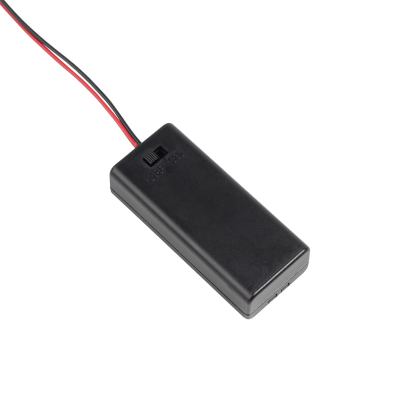
  10. Great kits in general, but no sign of battery cage and connector in the instructions or video. The only additional requirement is the micro:bit (link takes to board only). Either missing from our kit or instructions are not clear. Thanks
  11. 0 votes
    Q Great kits in general, but no sign of battery cage and connector in the instructions or video. Th...... Read more
    Asked by kit on March 7, 2018 12:00 am
    Answered by the admin Hi Kit, Firstly I'm pleased to hear you like the kit. However I'm sorry to hear that you have found it a little unclear on the use of a battery cage or USB cable. It is unlikely they were missing as the standard inventor's kit (5603) is just the inventor's kit without a micro:bit. The only other option is 5618 where it is the inventor's kit with a starter kit included so you would get the micro:bit as well as battery cage and USB cable. I can see if we can make this clearer on the standard item so that it is known a USB cable and battery cage may be required.
  12. The tutorial book mentions (and shows in the diagram) a battery pack, which it says is for optional use. Is this meant to be included as part of the inventor's kit? We can't find it.
  13. 0 votes
    Q The tutorial book mentions (and shows in the diagram) a battery pack, which it says is for option...... Read more
    Asked by Helen on January 2, 2018 12:00 am
    Answered by the admin Hi Helen, The inventor's kit shouldn't include a battery pack as you would likely have one with the micro:bit. However I am unable to find the text in the booklet to confirm what this is referring to.
  14. The blocks used for programs in the Tutorial book are different to those on Microbit App that my Grandson is using on an ipad pro. Is there an App that I can use that will have them the same.
  15. 0 votes
    Q The blocks used for programs in the Tutorial book are different to those on Microbit App that my ...... Read more
    Asked by Andrew Renton on December 22, 2017 12:00 am
    Answered by the admin Hi Andrew, It is most likely that the inventor's kit you have has an old booklet if it was purchased a while ago. On the front at the bottom there should be a version number, currently we are on 1.5. The programming blocks have altered slightly but the use and title of these shouldn't have altered. If you have any questions you can email support@kitronik.co.uk for further help.
  16. On the dice experiment is the If item is 1 command correct as it sets pin 0 to a zero value (off) should it be set to 1 (on)
  17. 0 votes
    Q On the dice experiment is the If item is 1 command correct as it sets pin 0 to a zero value (off)...... Read more
    Asked by S Copeland on June 29, 2017 12:00 am
    Answered by the admin Hi there,

    This is correct as the purpose of the experiment is to create a blinking light that blinks quicker as you face in a particular direction. It is correct for the Pin 0 to be set to 0 otherwise the LED will remain on continuously.
  18. Why wont be .hex files copy across to the microbit folder?
  19. 0 votes
    Q Why wont be .hex files copy across to the microbit folder?
    Asked by Amy Young on May 26, 2017 12:00 am
    Answered by the admin Hi Amy, When you download the .hex file it will show in your web browser. You would then need to drag and drop this into the micro:bit folder. What you should see happen then is the small yellow LED next to the reset button should begin to flash, once this stops the code has been loaded onto the micro:bit. Normally when you view the micro:bit folder after the code has been uploaded you can't see the file but it should be stored ready to use.
  20. Why does my fan not spin? My code works well but we tried another experiment with the fan and that didn't work either.Be grateful for any support you have
  21. 0 votes
    Q Why does my fan not spin? My code works well but we tried another experiment with the fan and tha...... Read more
    Asked by Joseph Moon on March 6, 2017 12:00 am
    Answered by the admin Hi Joseph, It is difficult to advise what could be causing the issue, however it is likely that either the terminal block isn’t quiet lined up on the breadboard correctly or the item that is placed onto the motor is to heavy and as such the motor can’t spin. If you send a photo of the circuit and a screenshot of the code to support@kitronik.co.uk we can take a better look and try to help further.
  22. Any reason for not having connectors for pin 19 and 20 populated on the board.I just realised there are no pins and was about to use the function presented on the board (i2c).
  23. 0 votes
    Q Any reason for not having connectors for pin 19 and 20 populated on the board.I just realised the...... Read more
    Asked by Owen Brotherwood on January 11, 2017 12:00 am
    Answered by the admin Hello Owen, The rationale behind the design is this: The micro:bit has 21 connections, however it is not possible to buy a 2 x 21 section of pin header. The 2 x 20 way is however readily available, so the board was designed with the most common connections going to the 20 way break out. As for the two I2C pins, we wanted to include these for more advanced users of the board, but placed them to one side. Anyone that wants to connect to these pins can either permanently solder in to them or add their own pin header.
  24. I was wondering what exactly needs assembly in this kit/what size screwdrivers are needed?
  25. 0 votes
    Q I was wondering what exactly needs assembly in this kit/what size screwdrivers are needed?
    Asked by captainwonkish on August 22, 2016 12:00 am
    Answered by the admin Hello, the kit would only require a small amount of assembly, the prototype board would need sticking to the plate. The edge connector would need fixing to the plate using the screws and spacers provided. These are the screws that are used, pan-head-m3-machine-screw-pack-of-100
  26. is this kit and the microbit suitable for old people ime 67 .
  27. 0 votes
    Q is this kit and the microbit suitable for old people ime 67 .
    Asked by richard smith on July 19, 2016 12:00 am
    Answered by the admin Hi Richard, There isn’t really an upper age restriction on this product, it would depend on how comfortable you feel dealing with electronics and programming. This product is currently being used in schools mainly in there KS3 years, but can be used for people outside of this bracket.
  28. Is it possible to download the step-by-step tutorial book as a pdf or word file?
  29. 0 votes
    Q Is it possible to download the step-by-step tutorial book as a pdf or word file?
    Asked by Annelie Chabmers on July 12, 2016 12:00 am
    Answered by the admin Hi Annelie, Unfortunately it isn’t possible to download the tutorial book as it is part of the kit and not avaible on its own.
  30. Is the Inventor's Kit tutorial kit available online? I'd like to incorporate sections into my lesson PowerPoint.
  31. 0 votes
    Q Is the Inventor's Kit tutorial kit available online? I'd like to incorporate sections into my les...... Read more
    Asked by Victoria Wicking on July 8, 2016 12:00 am
    Answered by the admin Hi Victoria, Unfortunately the booklet isn’t online due to it being part of the product, we have however placed 3 out fo the 10 tutorials online for examples of what are in the booklet. experiment-2-using-an-ldr-analog-inputs experiment-4-using-a-transistor-to-drive-a-motor experiment-7-wind-power
  32. Page33 of Inventors Tutorial book lists Touch Develop script for 'Mapping a Tilt to a Speed.Can't find 'tilt' function anywhere on iphone 6S command list. Can you help please.
  33. 0 votes
    Q Page33 of Inventors Tutorial book lists Touch Develop script for 'Mapping a Tilt to a Speed.Can't...... Read more
    Asked by Ron McKenzie on June 16, 2016 12:00 am
    Answered by the admin We have recently changed this bit of code in the new version of the booklet. I have passed this on for someone to look at for you and they will contact you with further details.
  34. how do you get the box with another box in the top right of that on touch develop
  35. 0 votes
    Q how do you get the box with another box in the top right of that on touch develop
    Asked by Harry on June 14, 2016 12:00 am
    Answered by the admin Hi Harry, could you just explain a little further what you are trying to do touch develop?
To submit a question, please login or create an account