
0
Your Cart
0
Your Cart

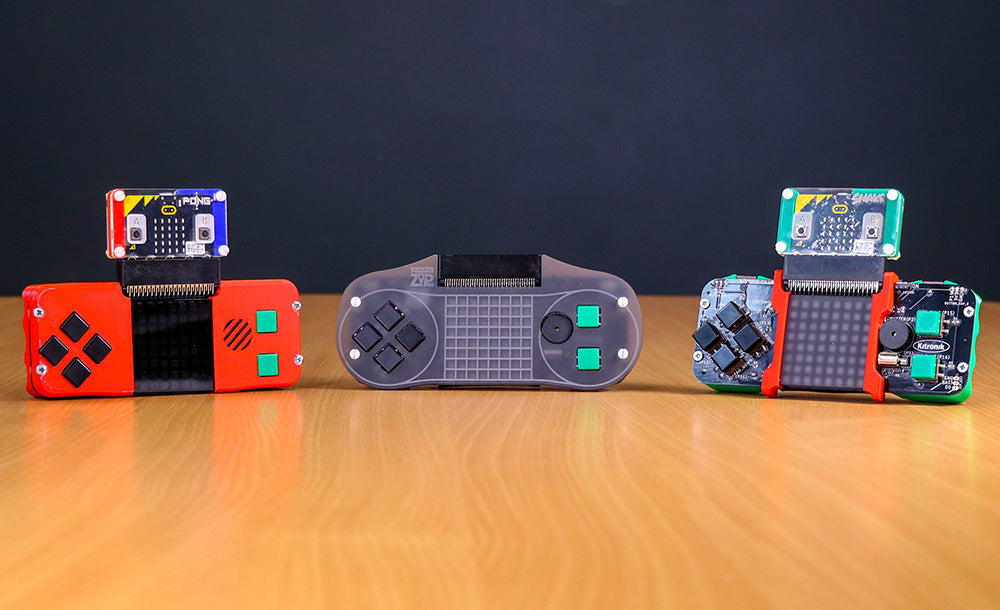
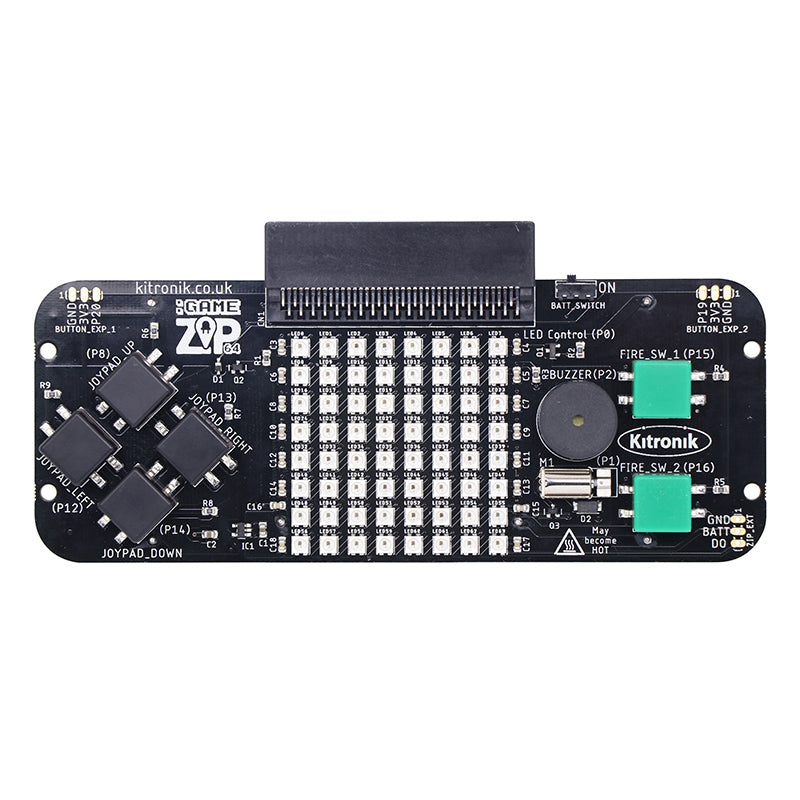
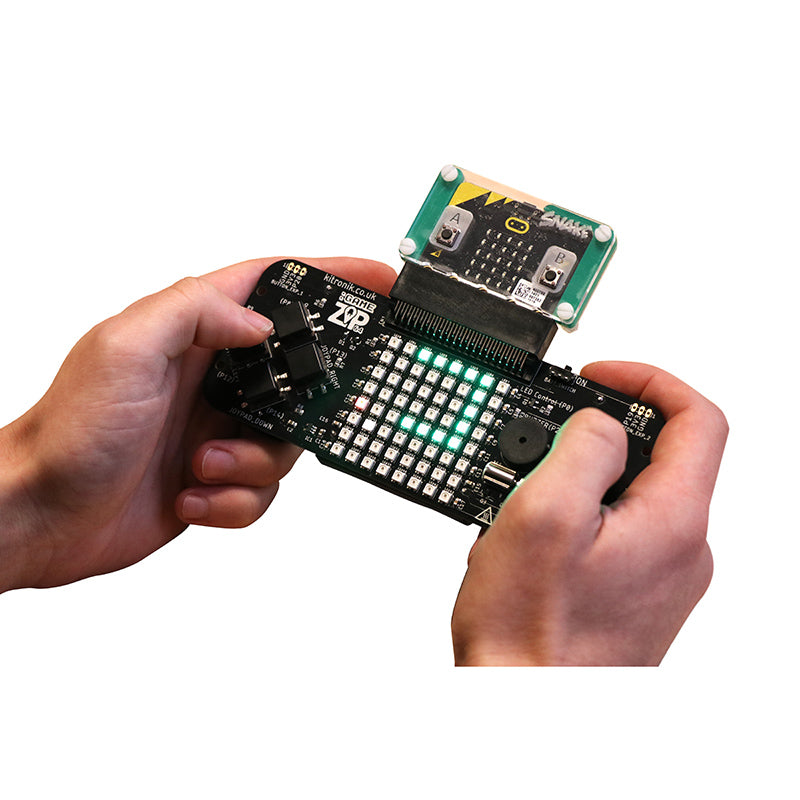
The Kitronik :GAME ZIP 64 is the ultimate retro gaming accessory for the BBC microbit. It has been designed to be an all in one hand held gaming platform, which also includes a built in, 64 (8×8) individually addressable full colour ZIP LED, screen.

It features on-board sound, 4 x directional buttons, 2 fire buttons, haptic feedback, and breakout points so shoulder buttons or I2C devices can be added. All of these features are fully programmable. We have also included breakout points to allow for the use of larger LED screens.

All of microbits features are still available when plugged in to the :GAME ZIP 64, so your games can still make use of the LED matrix, accelerometer etc.

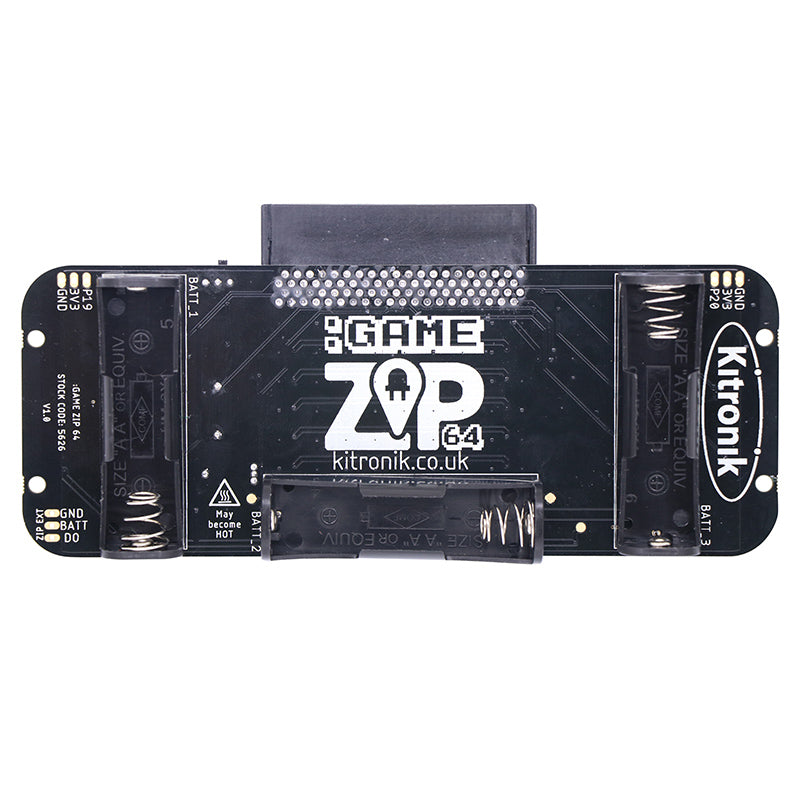
Power is provided via the built in 3 x AA battery cages which have been ergonomically placed to act as hand grips which makes the :GAME ZIP 64 comfortable to hold and play.

We have produced some example games in both MakeCode Blocks and MicroPython that can be freely downloaded from the resources section below so you can begin playing games straight away. If you prefer to code your own games, it also offers the perfect platform for developing and testing micro:bit games.

plug and play cartridges


The Kitronik MI:pro protector cases can be used to create a game ‘cartridge’ that can be labeled and that will not only protect the microbit from damage, but also from accidental overwriting


Note:

  • The BBC microbit is NOT included.


Features:

  • All in one hand-held gaming solution for the BBC micro:bit.
  • 64 individually addressable ZIP LED display screen.
  • Fully programmable on-board sound, directional buttons, fire buttons, and haptic feedback.
  • Breakout pads for adding shoulder buttons or I2C devices.
  • Breakout pads for driving larger LED screens.
  • Ergonomic design for comfortable game-play.
  • Use MI:pro protector cases to create a handy game cartridge.
  • It can also be coded to be a controller for your buggy or robotics projects.


Contents:

  • 1 x :GAME ZIP 64 for the BBC microbit.


Video:


Requires:


Resources:

Note: this product is sometimes miss spelt as gamezip

Note: this product is sometimes miss-typed in search as zip64.

Documents & downloads

Note: this product is sometimes miss spelt as gamezip

Note: this product is sometimes miss-typed in search as zip64.

Related resources

2 reviews for Kitronik :GAME ZIP 64 for the BBC micro:bit

  1. rad

    this product is cool and original keep it up kitronik

  2. jumbo juice

    would get for kids or coders

Add a review

Your email address will not be published. Required fields are marked *

Questions and answers

    I can't get the matrix to display correctly, even if we follow the exact code in lesson 1, page 8. How do we get help?
  1. 0 votes
    Q I can't get the matrix to display correctly, even if we follow the exact code in lesson 1, page 8...... Read more
    Asked by Jill on May 15, 2020 12:00 am
    Answered by the admin Hi Jill,

    Thank you for your question, I am sorry to hear that. If you email me your code I can double check that for you and see if the version of the code is upto date?

    Best Regards

    Cullen
  2. Is there a quick way to test your game whilst developing it without downloading it to the physical microbit and then plugging in to the Zip 64? The simulator on microbit makecode does not show the Zip 64 display or buttons.
  3. 0 votes
    Q Is there a quick way to test your game whilst developing it without downloading it to the physica...... Read more
    Asked by jimmy on April 25, 2019 12:00 am
    Answered by the admin Hi Jimmy,

    I am afraid there is nothing easy the simulator was created for the micro:bit foundation so is all around simulating the base micro:bit rather than add ons that we have created unfortunately.

    Best Regards

    Cullen
  4. Hello, im wondering hos to download the pong game to the micro:bit. Could someone help me with my problem?
  5. 0 votes
    Q Hello, im wondering hos to download the pong game to the micro:bit. Could someone help me with my...... Read more
    Asked by Erik on February 18, 2019 12:00 am
    Answered by the admin Hi Erik,

    Thank you for your question hopefully we can help!

    So first off go to the Game ZIP Product Page, I have linked it for you below.

    https://www.kitronik.co.uk/5626-game-zip-64-for-the-bbc-microbit.html

    Scroll down to resources and click on Pong Game Download that should be in green text.

    This will try and download a ZIP File. Once you have the file downloaded open your download folder and right click on it. Select the option "Extract all..." This will then extract the files from the ZIP format we host them in.

    Plug your micro:bit into your PC with a micro USB cable. It should appear like a USB device and you should then be able to drag and drop the newly extracted files onto the micro:bit. The yellow light on the back should flash and then the code should be downloaded.

    We also have a guide on putting programmes onto the micro:bit below

    https://www.kitronik.co.uk/blog/transferring-program-bbc-microbit/

    Best Regards

    Cullen
  6. Is it possible to code for the microbit offline using yotta?
  7. 0 votes
    Q Is it possible to code for the microbit offline using yotta?
    Asked by Tim on August 16, 2018 12:00 am
    Answered by the admin Hi there,

    Thank you for your question you canuse Yotta offline either with GCC or ARMCC. There is a pretty good resource on the link below by the Univeristy of Lancaster around using Yotta.

    https://lancaster-university.github.io/microbit-docs/offline-toolchains/

    Best Regards

    Cullen
  8. We're planning to order 7 more Game Zip boards. We'd love to buy the cases with them as the LEDs are very bright. We have a laser cutter so we could cut them ourselves, but to order the Grey Perspex Sheet the shipping to the US would probably be quite high. Is there an easy way to get the Game Zip acrylic case in a cost effective way?
  9. 0 votes
    Q We're planning to order 7 more Game Zip boards. We'd love to buy the cases with them as the LEDs...... Read more
    Asked by David Fisher on May 24, 2018 12:00 am
    Answered by the admin Hi there,

    I have taken a look for you and there is not much we personally can do but acrylic and perspex is a material that is sold world wide so you could pick up some more locally to yourself. That would be my suggestion and then use our codes to cut the acrylic.

    Best Regards

    Cullen
  10. Hello! I code for the microbit using Python and the mu code editor (codewith.mu). Is this product compatible with this editor? Thanks!
  11. 0 votes
    Q Hello! I code for the microbit using Python and the mu code editor (codewith.mu). Is this product...... Read more
    Asked by Wendi on May 4, 2018 12:00 am
    Answered by the admin Hi Wendi, Unfortunately at the moment there is a slight software issue with MicroPython which results in the :GAME ZIP 64 not working as excepted. Further details can be found on the product page for the item. We are hopeful that this will be resolved shortly.
  12. When is this coming out?
  13. 0 votes
    Q When is this coming out?
    Asked by Liam on April 3, 2018 12:00 am
    Answered by the admin Hi Liam, We have started dispatching the first Pre-Orders on Thursday, we have another 200 due back from manufacturing very shortly and they will start the testing phase which will complete back orders and provide stock. We are hopeful this should be complete by the end of this week or early next week.
To submit a question, please login or create an account