

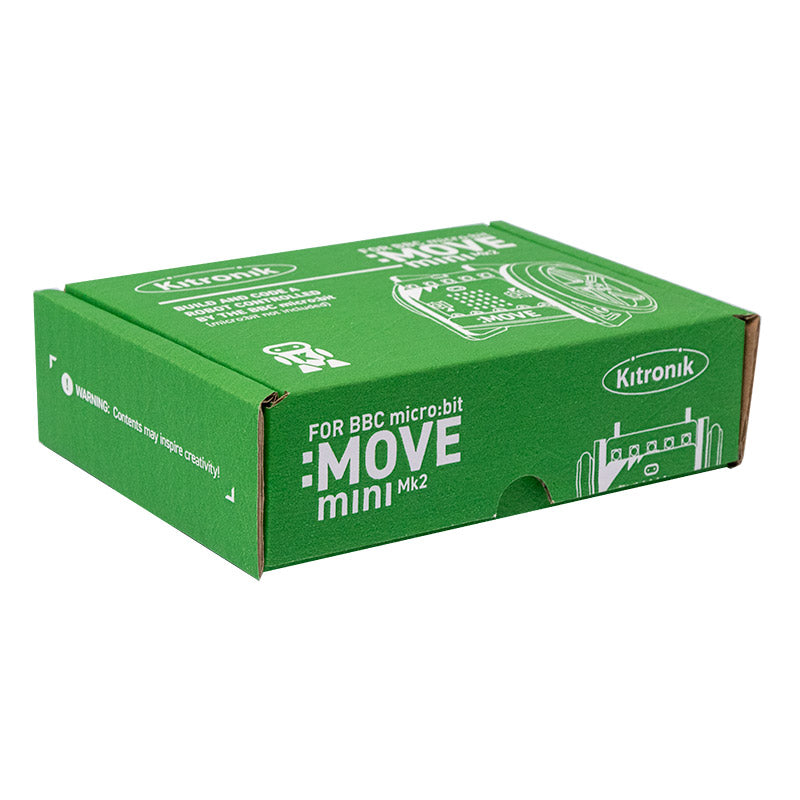



The Kitronik :MOVE mini MK 2 buggy kit for the BBC micro:bit is the latest version of our ever-popular :MOVE mini that provides a fun introduction to robotics. The :MOVE mini is a 2-wheeled robot that is suitable for autonomous operation, remote control projects via a Bluetooth application or being controlled using a second BBC microbit as a controller via radio. This kit is available as a single pack or as a 20-pack.
The MK2 features a set of Kitronik injection moulded wheels with 0-ring rubber tyres. The wheels maintain a large size, relative to the chassis, and deliver excellent traction. MK2 goes where V1.0 could not!
The Kitronik :MOVE mini is powered by two continuous rotation servo motors. The speed of these servos can be controlled via PWM (Pulse Width Modulation), which is easy to do using the Servo blocks in the MakeCode editor. We have also produced Kitronik custom blocks for the Servo:Lite to make the task of coding as quick and painless as possible, see the resources section at the foot of this page for more information.
The buggy also has 5 x RGB individually addressable ZIP LEDs (NeoPixel compatible), which can be used as indicators, reverse lights etc. It is possible to add a pen or other extra parts to the kit to increase the range of tasks for which it can be used.
The included Kitronik :MOVE servo:lite board can also be used in conjunction with a BBC micro:bit to build other movement-based projects. We’ve produced a wide range of tutorials and guides that can be found in the resources section below. We have guides detailing; how to control a third servo, how to code the buggy to draw shapes, how to write code for the onboard ZIP LEDs, how to code the buggy for Bluetooth control and how to use a second microbit as a controller.
Note:
- It requires some mechanical assembly.
- This kit does not come with a microbit, you can buy the microbit here.
- Available as a 20-pk classroom pack.
Features:
- The kit offers a fun introduction to the world of DIY robotics.
- Add code for autonomous operation.
- Use the radio function and a second microbit as a controller.
- Attach a pen and code the robot to draw shapes.
- The buggy features new and improved injection moulded wheels with rubber 0-ring tyres.
Contents:
- 1 x Set of chassis parts.
- 2 x Micro 360-degree continuous rotation Servos with accessories.
- 1 x Servo:Lite board.
- 2 x Counter sunk M3 6mm screw.
- 5 x Counter sunk M3 8mm screw.
- 6 x M2 Rec Pan Steel screw.
- 6 x M2 Hex Full Width Nut.
- 3 x AAA Batteries.
- 1 x Pair of ABS White Wheels.
Kitronik :MOVE mini MK2 buggy kit pack size options:
- Single – 5652.
- 20 pack – 5652-20.
Dimensions:
- Length: 95mm.
- Width: 85mm.
- Height: 85mm.
Video:
Resources:
- Build Instructions.

- Servo:Lite board Datasheet.
- WS2812B Datasheet.
- Coding and usage guides:
- 4 x Lesson plans for :MOVE mini.
- Guide For Kitronik Custom MakeCode Editor Servo Blocks.
- Getting Started With The Servo:Lite board.
- Guide For Controlling 3 Servos With The Servo:Lite board.
- Guide For Using Kitronik ZIP LEDs With The BBC microbit.
- Guide for Controlling :MOVE mini With The microbit Radio.
- Guide For Drawing With The :MOVE mini For The microbit.
- Guide For Coding Automatic Headlights For :MOVE mini.
- Guide For Coding Indicators For :MOVE mini.
- :MOVE mini Football – Build a Stadium and use our custom code to play!
Third-Party Resources:
Insight Resources Mr Bit is an online educational coding platform that also features sections devoted to some of our key micro:bit accessories, including this kit. This content has been developed by Insight Resources and any questions relating to them should be directed at their contact information. To access these resources, please visit;
Note:
- Once the Servo:Lite board is attached to the microbit there is a maximum clearance of 6mm for the plastic sheath of the USB cable. Our noodle cables and the cable which is supplied in the official Go pack both fit.





Dan –
I bought 3 of these for my kids and they are so much fun I had to get one for myself as well to get in on the action! They need building with a bit of care but with a little supervision the kids built them without issue.
John –
I chose these for my grandaughters because I wanted then to learn the code, observe, improve cycle with something tangible. They love it – movement and lights!
Make sure that you have the right USB cable – a narrow micro USB – to fit the microbit with the shield fitted
It is easy and fun to assemble, (but don’t skip calibrate) and the coding blocks Kitronic are good. We reverted to using the pin servo block instructions too.
We have the line follower (fun) and tipper and bulldozer to fit next.