0
Your Cart
0
Your Cart
   

Open the door to a world of possibilities with the :VIEW Halo HD Board for micro:bit.

Description:

The Kitronik Halo HD board for the BBC micro:bit incorporates 60 individually addressable full colour ZIP LEDs. It also breaks out P1 and P2 to a standard 0.1” footprint, it features a MEMS microphone for detection of sound, and a piezo buzzer to play sound. If that weren’t enough, it also features an onboard real time clock (RTC) controlled by I2C lines from the microbit. The board also has two M3 mounting holes. We think you’ll agree, the board is loaded with useful features. It doesn’t stop there…

Plug n Play:

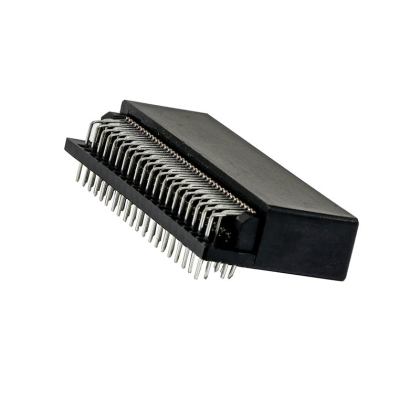
No tools required, not even a screwdriver, plug the micro:bit, available separately, straight into the onboard edge connector and you are good to go!
 

Onboard Power:

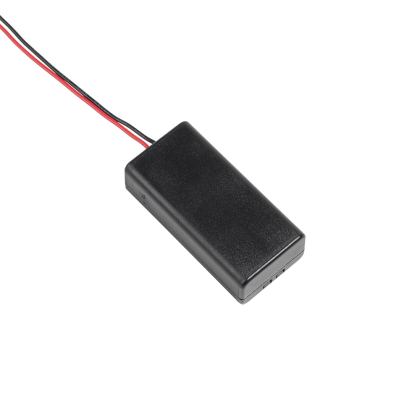
The board has a 3xAA battery holder mounted on the rear, with a power switch on the front of the board. A regulated supply is produced on the board which is fed into the 3V and GND connections to power the connected BBC micro:bit, removing the need to power the BBC micro:bit separately. See the Datasheet for more information.
 

MakeCode Blocks:

Kitronik have created custom blocks for the Halo HD for use with MakeCode. To add these blocks, first go to makecode.microbit.org and start a new project. Under the “Advanced” section click on “Extensions”. In the next window search for “Halo HD”. Then, click on the tile to import it into MakeCode. You will see that the blocks are split across three categories; ZIP LEDs, Microphone and Clock. You can find more information on the MakeCode editor and also on how to write code for it with MicroPython in the Datasheet.
 

Examples:

To get you off to a flying start we have produced a number of code examples that cover all of the onboard features and that will also serve to inspire your own projects. You will find links to these examples in the resources section below.


Features:

  • The board features 60 individually addressable full colour ZIP LEDs.
  • It breaks out P1 and P2 to a standard 0.1” footprint.
  • It’s wired for sound with a MEMS microphone and a piezo buzzer.
  • It has an onboard Real time clock (RTC) controlled by I2C lines.
  • Plug n play with the onboard edge connector, no tools required!.
  • The board has a 3xAA battery holder mounted on the rear.
  • The On/off switch helps you maximise battery life.
  • It can be coded with MakeCode blocks via our custom blocks or with MicroPython.
  • 2 x M3 Mounting holes, for secure projects.

Contents:

  • 1 x :VIEW ZIP Halo HD Board for micro:bit.

Dimensions:

  • Diameter: 87mm.
  • M3 Mounting Holes Spacing (Center to Center): 68.4mm.

Video:


Requires:

Resources:

Note: this product is sometimes miss spelt as halohd

Documents & downloads

Note: this product is sometimes miss spelt as halohd

Technical Information

AttributeValue
Operating Voltage (Vcc) 3.5V – 5V.
Number of ZIP LEDs 60.
Number of external channels 3 (1x ZIP LED, 2x IO pin, each IO channel rated +3V at 50mA).
Max Current (ZIP LED running full RGB brightness) 0.9A (15mA per ZIP).
MEMS Microphone Sensitivity -42 dBV/Pa (typical).
MEMS Microphone Signal to Noise Ratio 59dB.
MEMS Microphone P0 (analogue input).
P1 Breakout pin header 1 – P1, 2 - +V (Battery Voltage), 3 - GND.
P2 Breakout pin header 1 - P2, 2 - +V (Battery Voltage), 3 - GND.
ZIP LED P8.
Buzzer P14.
RTC P19 & P20 (using the I2C lines).

Related resources

1 review for Kitronik ZIP Halo HD for the BBC micro:bit

  1. Gavin

    I bought this as I was planning on making an LED clock.

    Once I’d loaded the halo extension into the make code environment everything worked as expected. Makes a really nice fun clock. Bonus of been able to scroll the temperature across the micro bits LEDs.

    Well worth the money.

Add a review

Your email address will not be published. Required fields are marked *

Questions and answers

    How bright are these LEDs
  1. 0 votes
    Q How bright are these LEDs
    Asked by Reuben james on August 10, 2021 12:00 am
    Answered by the admin Thank you for your question, the LEDs can have their brightness altered but they can be very bright. At max brightness they can be uncomfortable to look directly at so we tend to recommend setting them to less than full brightness in some experiments.

  2. Hello Kitronik Team, I would like to know what is the min and max voltage to power the halo? I was thinking to use 3 rechargeable AA 1.2V batteries (2500 mah). Is it enough and not too much? :) Thank you for you feedback!Regards, Ludovic
  3. 0 votes
    Q Hello Kitronik Team, I would like to know what is the min and max voltage to power the halo? I w...... Read more
    Asked by Ludovic on December 3, 2020 12:00 am
    Answered by the admin Thank you for your question, the voltage range for the Halo is 3.5V to 5V so three rechargeable batteries at 1.2V when fully charged should be sufficient. However, you will likely see voltage drop from as the batteries charge is used which might mean it drops below this voltage range.

  4. First of all... the Halo HD is my most favourite micro:bit accessory :)But... is there a way to read the value for an individual LED? For example, the LEDs may have been rotated an unknown number of times and I want to know the RGB or color value of LED 0, 1, 2, etc.
  5. 0 votes
    Q First of all... the Halo HD is my most favourite micro:bit accessory :)But... is there a way to r...... Read more
    Asked by David on March 20, 2020 12:00 am
    Answered by the admin Hi David,

    Thank you for your email, I have been having a look and the only thing I can think of doing this is to create a variable that increases each time it rotates but generally I am unaware of any way of getting feedback on the current colour of the LEDs.

    Best Regards

    Cullen
  6. Is it possible to use the battery at https://www.kitronik.co.uk/4652-polymer-lithium-ion-battery-1ah.html to power this rather than 3x AA batteries on the rear of the Halo ring?
  7. 0 votes
    Q Is it possible to use the battery at https://www.kitronik.co.uk/4652-polymer-lithium-ion-battery-...... Read more
    Asked by James on March 11, 2020 12:00 am
    Answered by the admin Hi James,

    Thank you for your question you could use that battery with them but it will run down much quicker than 3 x AAA batteries.

    Best Regards

    Cullen
  8. Hi guys,I am an ed tech teacher in the Netherlands and am excited about using the zip halo HD to learn some micropython and in building projects with my students. One of the reasons I chose the zip halo hd was because of the example programs. However I can't seem to get any of them to run on my microbit/zip halo. It would also be wonderful if you could share the actual code for these programs so I could learn how you created them. Please let me know if this is possible and thanks!
  9. 0 votes
    Q Hi guys,I am an ed tech teacher in the Netherlands and am excited about using the zip halo HD to ...... Read more
    Asked by Tom Spackman on March 3, 2020 12:00 am
    Answered by the admin Hi Tom,

    Thank you for your question we should have the example programmes on most of our resources like the one below.

    https://www.kitronik.co.uk/blog/get-started-with-zip-halo

    At the bottom of the page should be the download link. If you are still having difficulties let me know and I will see what I can do.

    Best Regards

    Cullen
To submit a question, please login or create an account