
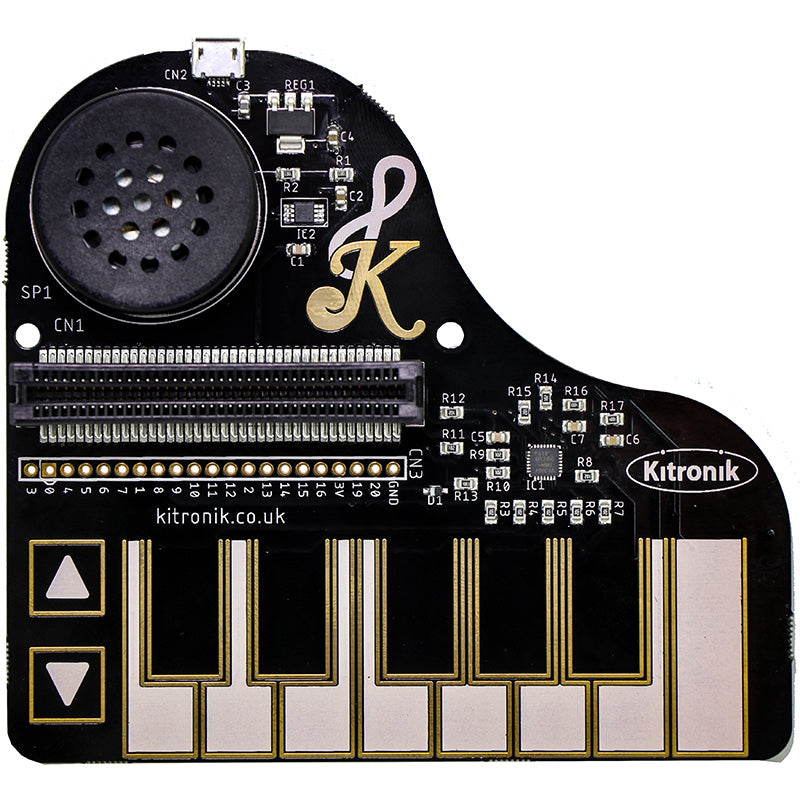

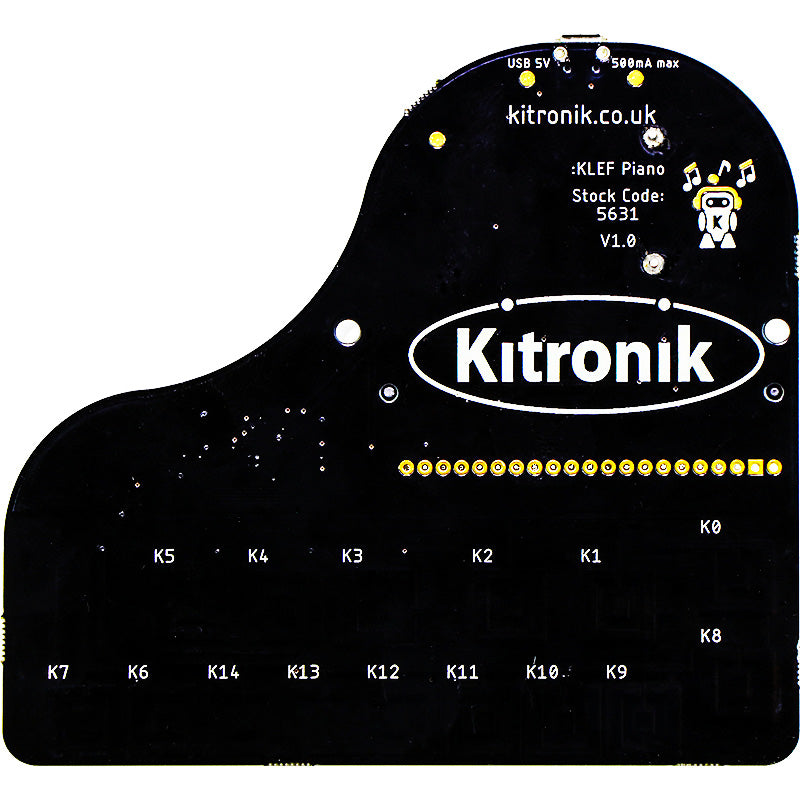


Compose a monophonic microbit musical masterpiece with the Kitronik :KLEF Piano for the BBC micro:bit. It features 15 capacitive touch pads, with 13 arranged as a single octave and 2 up down function buttons that can allow you to shift octaves.
:KLEF also features; an onboard amplifier circuit for extra ‘more’, an onboard speaker, and an onboard edge connector that the micro:bit slots into.
To use the Piano, the BBC micro:bit should be inserted firmly into the edge connector, either way around. If the Link Header is being used, the BBC micro:bit LED display should be facing the Piano keys. Kitronik has produced a MakeCode getting started guide which you can follow here.
Power is provided via a 5V micro USB connector. The board then produces a regulated 3.3V supply fed into the 3V and GND connections to power the connected BBC micro:bit, removing the need to power the BBC micro:bit separately. This also powers the capacitive touch sensor IC and audio amplifier.
The potential uses for the :KLEF Piano for the BBC micro:bit doesn’t have to be just musical in nature. You can use the piano keys to transmit from the micro:bit attached to the board to other micro:bits over radio. And if that other microbit happened to be inserted into a :MOVE mini… Piano remote control! You can even take control of the :MOVE minis ZIP LEDs! Of course, we ‘tested’ this extensively.
Features:
- Compose music using the micro:bit!
- Learn to code and explore music at the same time.
- Write code using the MakeCode, MicroPython, and Mu editors.
- Use it as a control surface to trigger the sending of data via the microbits radio module.
- Use it as a remote control for your Buggies/Robots.
- It works with micro:bit V1 and micro:bit V2.
Contains:
- 1 x 1 x :KLEF Piano for the BBC micro:bit.
Video:
Dimensions:
- Length: 100mm.
- Width: 110mm.
- PCB Thickness: 1.6mm.
- Max Height (No micro:bit): 17.3mm.
- Max Height (With micro:bit): 53.3mm.
Requires:
Resources:
- :KLEF Online MakeCode Beginners Guide.
-
Datasheet.

- Demo Code for programming in MicroPython is available from GitHub.


Reviews
There are no reviews yet.