0
Your Cart
0
Your Cart

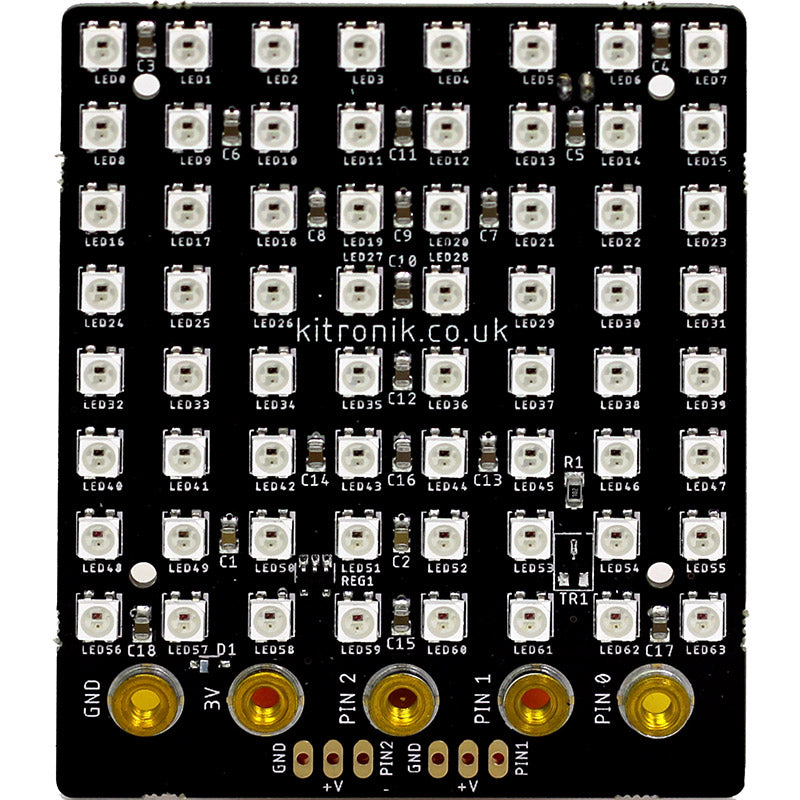
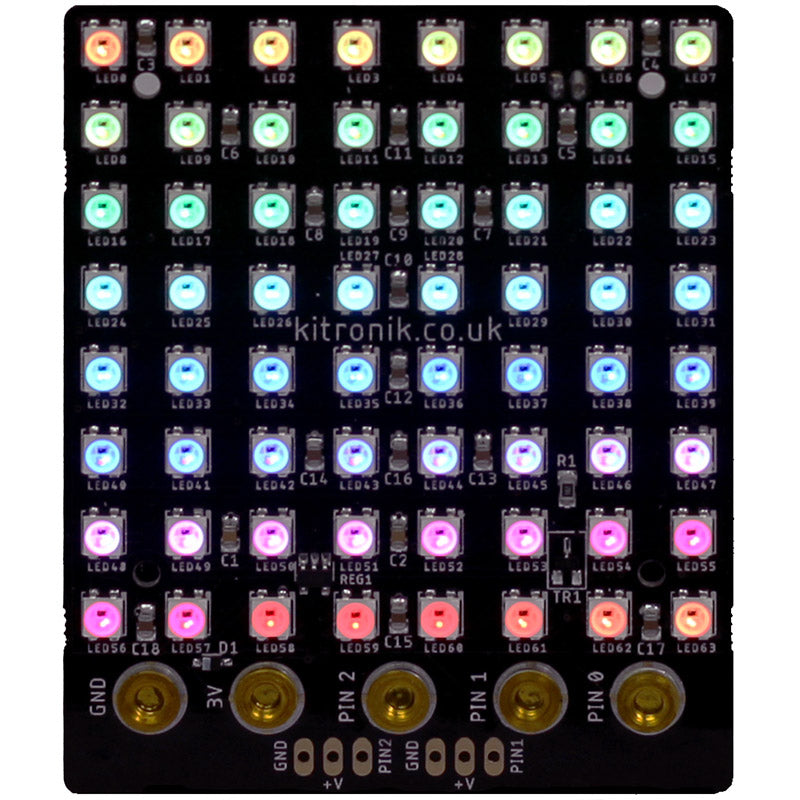
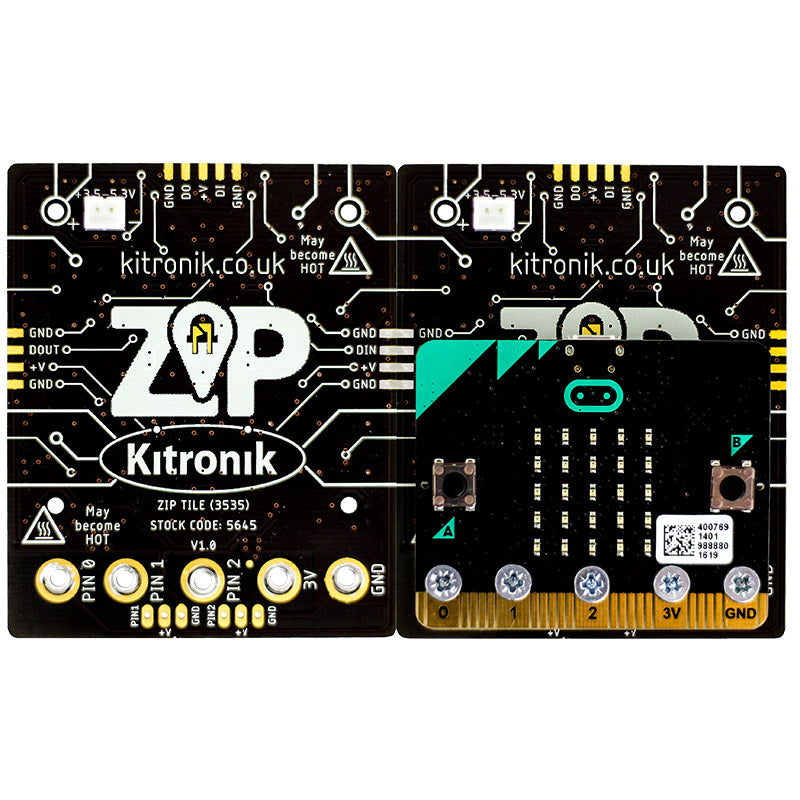
The Kitronik ZIP Tile is an 8 x 8 display panel for the BBC micro:bit. It can scroll text, show all the colours of the rainbow (and more) and multiple Tiles can be linked up to make even bigger displays!

It features 64 colour addressable LEDs arranged in an 8 x 8 grid, ZIP LED expansion points on the left, right and top of the board, and the ability to connect a BBC micro:bit with both bolts and croc clips. It also breaks out P1 & P2 to standard 0.1” (2.54mm) footprints. Each of these pins also have the required supply voltage and GND pads.

Power is provided via a JST connector on the rear of the board. The board produces a regulated supply that is fed into the 3V and GND connections to power the connected BBC micro:bit, removing the need to power it separately. To protect the BBC micro:bit if power is supplied through it, the ZIP LEDs will not illuminate.

Connecting a BBC micro:bit

To use the ZIP Tile, the BBC micro:bit needs to be connected to at least the GND, 3V and Pin 0 connections on the ZIP Tile. The BBC micro:bit can be connected via board-mounted nuts and M3 bolts (make sure the provided spacer is placed between the BBC micro:bit and the ZIP Tile if connecting on the rear), or croc clips. See Datasheet for detailed images. The Tile is supplied with 5 M3x12 countersunk screws and 5 plastic spacers. These are used to attach the BBC micro:bit to the ZIP Tile, with the spacers going in-between the Tile and BBC micro:bit.

Coding: We have produced a set of custom blocks for the MakeCode Editor to make the job of coding for them as simple as possible. To add these blocks to the editor; click on the cog icon in the editor, select Extensions, type and enter Kitronik into the search bar and select the ZIP Tile option. The blocks will now be added to the menu in the editor.

Features:

  • The ZIP Tile is an 8 x 8 display panel for the BBC micro:bit.
  • Featuring 64 addressable full-colour LEDs.
  • It has ZIP LED expansion points on the left, right and top of the board that allow for making larger displays.
  • Connect to a BBC micro:bit with both bolts (supplied) and croc clips.
  • It also breaks out P1 & P2 to standard 0.1” (2.54mm) footprints.
  • To protect the BBC micro:bit if power is supplied through it, the ZIP LEDs will not illuminate.
  • We have developed custom code blocks for the MakeCode Editor.

Contents:

  • 1 x ZIP LED Tile.
  • 5 x M3 Countersunk Screws.
  • 5 x Plastic Spacers.

Requires:

Resources:

To use the example code; download the file and unzip/extract. Connect a micro:bit to a spare USB port on your computer. The micro:bit should now show up as a removable disk onto which you can drag and drop the .HEX file that you extracted from the zip file. Once the light on the rear of the micro:bit stops flashing, the transfer is complete and the program can now be run. Try experimenting with the A and B buttons on the micro:bit. You can also drag and drop the file into the MakeCode editor, where you can look at or edit the code.

Documents & downloads

To use the example code; download the file and unzip/extract. Connect a micro:bit to a spare USB port on your computer. The micro:bit should now show up as a removable disk onto which you can drag and drop the .HEX file that you extracted from the zip file. Once the light on the rear of the micro:bit stops flashing, the transfer is complete and the program can now be run. Try experimenting with the A and B buttons on the micro:bit. You can also drag and drop the file into the MakeCode editor, where you can look at or edit the code.
Technical Information

AttributeValue
Operating Voltage (Vcc) [ZIP LEDs] 3.5V - 5.3V.
Regulated Voltage [BBC micro bit]
Max Current (ZIP LEDs White @ 100% brightness, +5.3V supply) 2.73A (41mA per ZIP LED, 250mA max on 3.3V reg. voltage).
Number of ZIP LEDs 64.
Expansion Connections 3 x ZIP LED (1 x DIN, 1 x DOUT, 1 x DIN/DOUT)
Expansion Connections 2 x IO pins (each IO pin rated 3.3V at 5mA)
Expansion Connections 2 x BATT V (3.5V – 5.3V)

Related resources

Reviews

There are no reviews yet.

Be the first to review “Kitronik ZIP Tile for BBC microbit”

Your email address will not be published. Required fields are marked *

Questions and answers

    Can they be programmed with the neopixel library? Would like to use them in a school with Edublocks - which has the neopixel library Thanks
  1. 0 votes
    Q Can they be programmed with the neopixel library? Would like to use them in a school with Edubloc...... Read more
    Asked by Simon on June 22, 2020 12:00 am
    Answered by the admin


    Thank you for your question, these would be compatible with the ZIP LED extension on the micro:bit make code environment and would also be compatible with the Edublocks environment. The product is based on WS2812B LEDs so anything those are compatible with should work with the ZIP Tile.


  2. Can they be programmed in MU or MicroPython?
  3. 0 votes
    Q Can they be programmed in MU or MicroPython?
    Asked by Simon on May 13, 2020 12:00 am
    Answered by the admin Hi Simon,

    Thank you for your question, you could use micro python, we have some examples on our github repository below:

    https://github.com/KitronikLtd/micropython-microbit-kitronik-zip-tile/blob/master/zip_tile_upython_example.py

    Best Regards

    Cullen
  4. Hi, how do you connect the zip tiles together please, do you need separate fixings?
  5. 0 votes
    Q Hi, how do you connect the zip tiles together please, do you need separate fixings?
    Asked by Jon Williams on July 8, 2019 12:00 am
    Answered by the admin Hi Jon,

    Thank you for your question, you can connect zip tiles together with basically solid core cable or component legs. We have a data sheet on the link below for you.

    https://www.kitronik.co.uk/pdf/5645-zip-tile-microbit-datasheet.pdf

    Best Regards

    Cullen
  6. How many of these can be connected together to make a larger display and in what configurations?
  7. 0 votes
    Q How many of these can be connected together to make a larger display and in what configurations?
    Asked by Alex Clewett on March 4, 2019 12:00 am
    Answered by the admin Hi Alex,

    Thank you for your message, you can set up the tiles two high but a theoretically unlimited number along, the limit on this is your power supply as you start needing a lot of current quite rapidly with these.
To submit a question, please login or create an account