
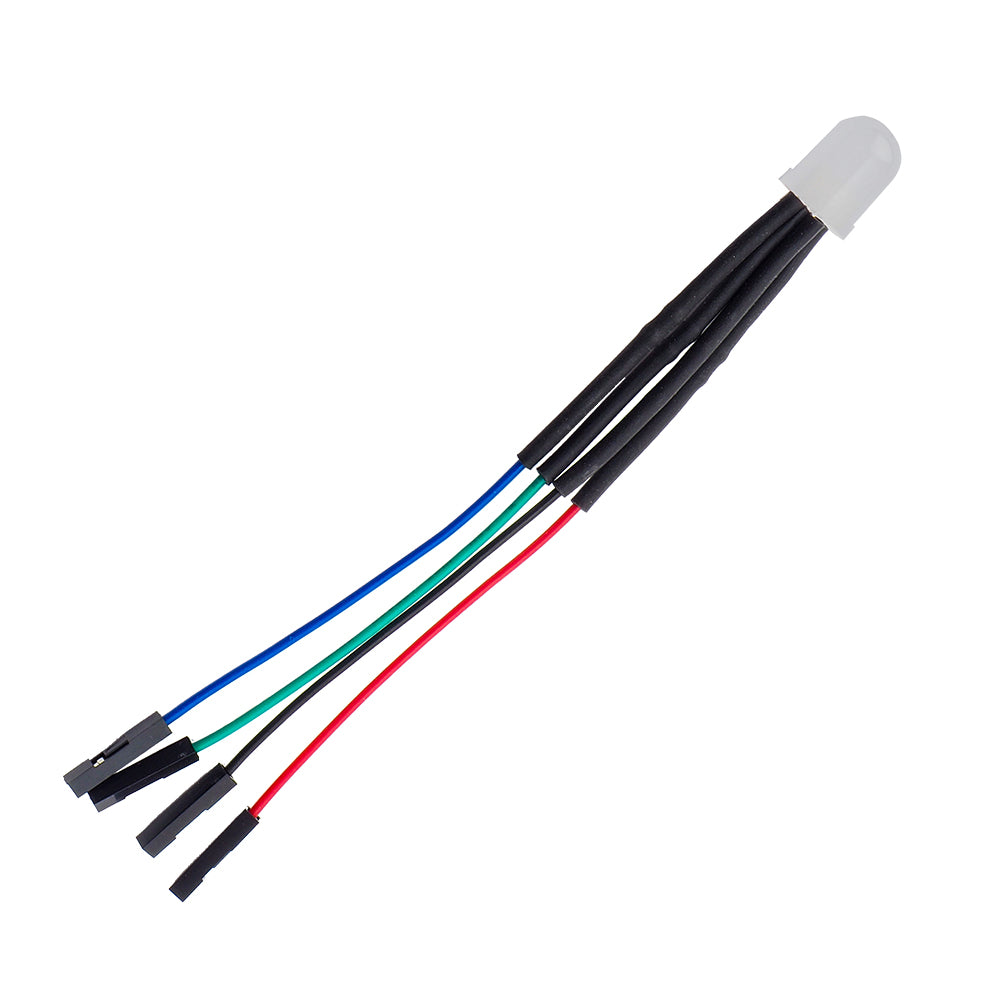

Learn how to control an RGB LED with the Raspberry Pi with the Monk Makes Raspberry Squid without having to worry about Ohm’s Law.
The Monk Makes Raspberry Squid for Raspberry Pi is a bright RGB LED with built-in resistors that can be plugged directly onto the GPIO pins of a Raspberry Pi. The built-in resistors are a great get out of Ohm’s Law free card, just plug and code!
The RGB Squid has four wires, the black wire should be connected to GND on the Pi, with the red, green and blue leads controlling the red, green and blue channels of the LED. See the following table for more information.
| Squid Coloured Lead. | Raspberry Pi GPIO Pin. |
|---|---|
| Black squid lead. | GND (the one between GPIO 18 and 23 is most convenient) |
| Red squid lead. | GPIO 18 |
| Green squid lead. | GPIO 23 |
| Blue squid lead. | GPIO 24 |
There is a downloadable user guide that walks you through how to get set up and then on to how to write code. There is also a downloadable datasheet that covers all of the electrical characteristics and has detailed dimensions.
Features:
- Learn how to control a bright RGB LED with the Raspberry Pi.
- The Raspberry squid has built-in resistors that can be plugged directly onto the GPIO pins of a Raspberry Pi.
- No soldering (or Ohm’s Law) is required.
- The downloadable guide has everything you need to get going straight away.
Contents:
- 1 x Monk Makes Raspberry Squid for Raspberry Pi
Dimensions:
- Length: 125mm.
Requires:
- A Raspberry Pi.





Reviews
There are no reviews yet.